Phone to platform
No computer required. Sign in, choose Twitch, Kick, or YouTube, and go live from your phone or browser. VISP handles the destination output at the relay.
Walk-and-talk · travel · spontaneous streams
Stream straight to Twitch, Kick, or YouTube — OBS only if you want scenes and graphics.
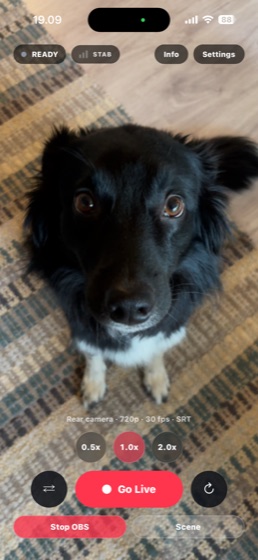
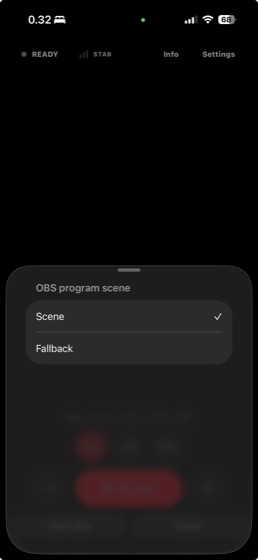
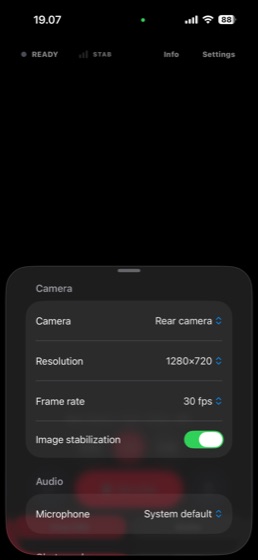
No computer required. Sign in, choose Twitch, Kick, or YouTube, and go live from your phone or browser. VISP handles the destination output at the relay.
Walk-and-talk · travel · spontaneous streams
Bring the field feed securely into OBS at home. Keep your existing scenes, overlays, audio routing, and local recording without renting a cloud studio.
Scenes · multi-camera · remote production
The native app can duplicate packets over Wi-Fi and cellular, so a failure on one connection does not have to end the show.
Direct retrieves authorized destination credentials server-side. A lost or borrowed publishing device never receives your key.
Switch scenes and control your broadcast from the app without exposing an inbound control port on your studio computer.
VISP checks authorization, ownership, and relay capacity before accepting frames, while you can still fix the setup.
Direct works without a computer. When the production needs scenes, overlays, plugins, or local recording, VISP carries the field feed into the studio you already own.
Install the VISP OBS plugin and sign in. It adds your authenticated remote feeds without port forwarding or hand-pasting Media Source URLs.
Open the VISP app on iOS or Android, or use the browser publisher on a laptop. VISP carries that contribution feed back to your studio.
Switch scenes, run overlays and alerts, record locally, and send the finished show from your own OBS to Twitch, Kick, YouTube, or any custom destination.
Unlimited cloud OBS plans in this comparison cost $120–180 a month. If you already have a computer that runs OBS, VISP brings the feed to it free during beta — a 12-month software saving of $1,440–$2,160. If you need a managed cloud studio or true cellular bonding, a paid service can still be the right choice.
When you already own a computer that can run OBS.
Excludes hardware, electricity, and internet service.
| VISP | IRLToolkit | Streamable.run | IRLServer | BELABOX | |
|---|---|---|---|---|---|
| Price | Free during beta | $129–179 / mo | $120–180 / mo | $10–20 / mo | Hardware + your own server |
| Computer at home | Use your own OBS, or Direct without it | Not needed — cloud OBS | Not needed — cloud OBS | Required — you run OBS | Required — you run OBS |
| Phone app included | iOS, Android, browser | Bring your own encoder | Bring your own encoder | Bring your own encoder | Dedicated hardware encoder |
| Cellular bonding | SRTLA ingest — not in the app yet | Yes — SRTLA ingest | Yes — SRTLA ingest | Yes — SRTLA ingest | Yes — SRTLA, its own protocol |
| Scenes and overlays | Chat overlay; scenes in your own OBS | Cloud OBS included | Cloud OBS included | Your own OBS | Your own OBS |
| Source available | GPL-2.0, self-hostable | Closed | Closed | Closed | Open source |
Public list prices, checked 2026-08-14.
VISP is free during beta. Get the phone apps, browser publisher, and OBS plugin — see Download & beta.